NTSC NES Composite Video Emulator

This is an archive of a topic from NESdev BBS, taken in mid-October 2019 before a server upgrade.
View original topic
NTSC NES Composite Video Emulator
by on (#8108)
I've finally completed a reasonably fast implementation of NewRisingSun's NTSC NES composite video emulator algorithm. The code converts lines of NES pixels, stored as palette indicies (0 to 0x3F), to 15-bit RGB pixels, with a 2.667 horizontal stretch factor. It runs about 50 frames per second when using the full 256x240 PPU source resolution on my 400 MHz PowerMac, so should run at full-speed on more recent machines. It's written in ANSI C with an LGPL license. The archive includes a demo that uses SDL to load an included raw NES image and display it with hue and saturation controlled by the mouse.

ntsc_emu.zip

Here are some screenshots, with even and odd fields combined as they would be when viewing them in an emulator, and with 50% scanline doubling:

Image

Image

zelda.png

castlevania.png

I'll try to post a Win32 build of my emulator with this installed, or you can post a build of yours with this integrated. :)
Re: NTSC NES Composite Video Emulator
by on (#8113)
blargg wrote:
Here are some screenshots, with even and odd fields combined as they would be when viewing them in an emulator, and with 50% scanline doubling:


Nice. I love how nasty the edges look on the different color fields; just like the real thing. If you didn't mention that you were using an emulator, I'd almost swear you used some form of video capture instead. :)

by on (#8118)
Looks really good.

by on (#8120)
It works over here and looks great :D

CPU usage (athlon xp 2ghz):
- me converting 15 bit colourspace to 32 bit: 17% ;p
- NTSC emulation: it depends on what's happening on the screen, usage of anything from 30% up to a lot.
examples:
- Super Mario Bros: fine
- Tiger Heli: slow down on titlescreen, better in gameplay
- Super Mario Bros 3: very slow

Also, compilation didn't work at first, because of "//" comments (using mingw/gcc, compiling with -ansi).

a test build: <<link removed>>
Note that it's a development build, so some things are broken a bit, eg. file handling, open a file by dragging/dropping it into the window. And it won't work if you have your desktop colour depth at anything but 32bit. As for default controls, open and exit it and see the .ini file.

*edit* oh, the number at the bottom left in the dosbox is the profiler; the average counts it takes to do ntsc emulation for 1 frame (not including colourspace conversion)

*edit2* ... better take those speed fluctuations with a spoonful of salt, I just tried again (that is, 2 hours later without having touched it in the meantime), and NTSC emulation speed is fairly consistent.. the profiler or timing system is probably broken somewhere.

by on (#8121)
Fine over here too! :D

Image

by on (#8126)
http://kode54.foobar2000.org/QuickNES.zip

Just think, the emulation is quick enough for the NTSC simulation to be usable! At least on my Athlon64 3200+. Software scaling to 680x480 that doesn't involve NTSC simulation coming when I feel like it.

by on (#8127)
Full speed here... Celeron D 2,66GHz. ;)
Man, you should include a full screen mode...

by on (#8128)
Here is an update:

ntsc_emu2.zip

- Changed output to 32-bit aRGB format. Is there any need for 16-bit RGB output on modern machines? Is it any faster? I guess I'll have to duplicate some code at some point so I can provide 16- and 32-bit output.

- Added scanline doubling at 50% intensity (can be turned off)

- Added option to use lower-quality unidirectional filtering (slightly faster)

- Changed ISO C/C++-style comments to ANSI C style

There are two quality issues with the current algorithm. The image could be a little sharper (working on this). Also, signal clamping causes some dark colors to have alternating bright and dark pixels. NewRisingSun is in the best position to resolve this, since I still don't have a good understanding of NES video output.

One feature I'd like to add is built-in mixing of even and odd fields (as I've done for the screenshots here), but by reworking my tables rather than brute-force generation of two frames and mixing them. Without this, the fields must be displayed at a very constant rate or flicker will be noticeable. This is difficult on modern monitors with refresh rates not an integral multiple of 60 Hz. Maybe it's not as much an issue on LCDs with their slower response time.

by on (#8130)
blargg wrote:
I guess I'll have to duplicate some code at some point so I can provide 16- and 32-bit output.

You won't have to duplicate too much if you create a generic algorithm using a C++ template and then instantiate it for 16-bit and 32-bit output.

Quote:
- Added option to use lower-quality unidirectional filtering (slightly faster)

Analog filters are unidirectional. Most designs are either near-linear-phase (Bessel) or minimum-phase.

Quote:
One feature I'd like to add is built-in mixing of even and odd fields

In other words, some sort of 3D comb filter, right?

by on (#8132)
Quote:
You won't have to duplicate too much if you create a generic algorithm using a C++ template and then instantiate it for 16-bit and 32-bit output.


But then I'd annoy the "C++ sucks" people (ANSI C is pure tedium to code in, but I wanted it to be usable by C-only folks). Plus I accumulate two 16-bit pixels into a 32-bit integer before writing, so it'd get littered with lots of conditionals (compile-time constant, of course, but still visually cluttered).

I'll work something out once the actual algorithm matches the NES more closely. Right now I'm seeing how usable my PC's audio digitizer is for examining the video signal (somewhat promising). :)

Quote:
Analog filters are unidirectional. Most designs are either near-linear-phase (Bessel) or minimum-phase.


I figured as much. If I could use a unidirectional IIR filter I could speed things up a bit. If I could find a usable second-order filter, I could even merge it with the NES pixel generation loop, perhaps making the whole affair twice as fast. I guess I didn't realize that you could get an IIR to give close to linear phase (I've mostly dealt with FIR filtering); I'll read up on that.

And yeah, what I was talking about would pretty much be an inter-frame comb filter.

EDIT: I found a nifty online filter constructor.
Re: NTSC NES Composite Video Emulator
by on (#8134)
blargg wrote:
The code converts lines of NES pixels, stored as palette indicies (0 to 0x3F), to 15-bit RGB pixels


How does this work with color emphasis? Or is that not yet supported?

(yeah it's me, Disch -- too lazy to keep logging in -- gotta figure out why it logs me out every 2 minutes)
NES Turing Test
by on (#8136)
Looks great. True emulation also recreates the flaws. I'm loving this. When is soming going to emulate a faulty 72-pin connector? I'm am only partly joking, really. The Atari 2600 scene emulates what is called "frying", and it might be fun to be able to select how perfectly the emulated NES's connector works... I can't be the only person who enjoyed "glitching out" their NES games as a kid by playing a game that is having technical issues due to a bad connection, yet the game still runs.

Quote:
FRYING
A term coined by Russ Perry Jr. and Dave Perry. "Frying" refers to drawing out strange effects in a game system by rapidly switching the power on and off. One way to do this is to attempt to set the power switch exactly between on and off.


I don't want to get too far off topic, but I just wanted to say that this "warts and all" emulation is the right direction for NES emulation. I eagerly await the day when "NES Turing Test" competitions are held, where emulators are lined up against real NES systems, to see which emulators can fool the most people into thinking that the controller and TV are connected to a real NES as opposed to a PC emulating a NES. Of course the actual system being played would be hidden, so that the only discriminating factors would be A/V output, controller response, gameplay, etc and not just being able to look at the system behind the curtain.

by on (#8139)
*edit* kode54: QuickNES crashes here with an illegal instruction. Does it require SSE2 and/or SSE3 ?
Disch: it doesn't support colour emphasis.

You're saying (in readme.txt) the monochrome mode hasn't been implemented, but there's no need to do that. It's just the normal palette, masked with $F0, that can normally be done in the ppu emulator. (I do pixel=(pixel&mono_mask)|emphasis, a 9 bit number)

Could you add an option to disable darkened/black scanlines completely ? To disable it now, I just commented out *2 in [out = (char*) out + out_pitch * 2;] in ntsc_emu_blit.

Have you noticed it's slower when black is used a lot ? eg. Super Mario Bros 3 end of level, or Super Mario Bros 1 level 1-2.
As for the speed fluctuations in my previous post, that was due to compilation with sse and 3dnow enabled.. strange; normally that should be faster, but in this case, eg. Super Mario Bros 1, level 1-1 is faster than normal compilation, but level 1-2 is very very very slow.

by on (#8140)
Yum, I almost forgot about denormal numbers.

by on (#8148)
Jagasian, fun idea regarding bad connection emulation, and I like the concept of a NES Turing Test.

Good point about monochrome, hap. Noted in readme.

Quote:
Could you add an option to disable darkened/black scanlines completely?


It'd be best to collaborate on a more stable interface in general (once we've identified needed features). For now I suggest modifying the code to suit your use and either posting or sending me a private message of your changes. At this point I don't have a good idea of the requirements.

Kode54, good page about denormals. I added a small bias (1.0 / 65536) to the luminance values in the table, which will hopefully address this issue. Apparently this doesn't affect PowerPC much since I saw no speed change when the screen was almost all black.

I looked into a Bessel function and got something working fairly well. I can now get full-sized output running on my machine at full-speed with quality nearly the same as the original. I was able to choose a cutoff frequency that resulted in one of the coefficients being 1.0, making it more efficient. This one is slightly more blurry than before, but fairly close. There are still more implementation choices to explore regarding filtering.

Here is a source code update:

ntsc_emu3.zip

I'm kind of rushing because I'd like to get outside before it gets dark.

by on (#8151)
Yeah, strange slowdowns don't happen anymore: every game (including CPU intensive mappers like VRC7 and MMC5) here is full speed now.

*edit* Darkened scanlines can of course be handled by the NES emulator, unless more is involved than just a copy of the previous scanline with each colour channel shifted right a bit ?

by on (#8174)
blargg wrote:
But then I'd annoy the "C++ sucks" people (ANSI C is pure tedium to code in, but I wanted it to be usable by C-only folks).

Then make a C API that wraps your C++ functions, and declare it extern "C".

Quote:
I guess I didn't realize that you could get an IIR to give close to linear phase (I've mostly dealt with FIR filtering); I'll read up on that.

Bessel filters have a wider "knee" than your typical Butterworth or Chebyshev design, but they have maximally linear phase, or equivalently maximally flat group delay, in the passband.

Quote:
EDIT: I found a nifty online filter constructor.

Doesn't seem to have Bessel unfortunately.

by on (#8175)
Here's an update to the code, with configuration now made by macros that can be set in the compiler command-line (default: 32-bit RGB, no scanline doubling):

ntsc_emu4.zip

I'm glad the denomal fix worked and didn't require any additions to the speed-critical code.

As you say, doubling the image vertically by duplicating each scanline (and darkening the duplicate) can be done in an emulator after NTSC emulation; it's just more efficient to do it in the NTSC emulator because the data is already in a register and there is probably some free memory bandwidth. Doubling scanlines after-the-fact requires that the originals be re-read, which will be slower still if you're going directly to video memory.

Now the main thing left is to improve quality. It would be useful to know what the processor load is on various machines.

EDIT: Awesome! I just found source for an X screensaver emulating an NTSC TV. It goes much further, emulating the color blooming and horizontal warping at high brightnesses. I haven't compiled the code yet but it looks quite thorough an implementation.

by on (#8185)
The denormal numbers have made a comeback, it's fixed by readding 'bias' in the filter function. CPU usage, compiling with optimalization flags, is about 28% here on an Athlon XP 2ghz.

by on (#8186)
Hmmm, I changed the sign of the bias to negative in the most recent version (unnecessarily); try switching it back to positive:

// ntsc_emu.c line 188
y = y * gain + 1.0 / 0x10000;

Or is this due to your luma table modification? Since each nes_phases entry is generated by either y+i, y+q, y-i, or y-q, and i and q change in coarse increments, the above bias to y should be sufficient. The IIR is applied to one of these four entries each pixel, so it should never decay into the denormalized range.

tepples: the online filter constructor page itself at least claims to have Bessel. The whole filtering business needs some improvement, and now that I see that it's only using 26% CPU on a modern PC, I can improve it properly. I first plan on trying out that groovy screensaver code I found earlier.

by on (#8188)
It's not due to that modification.
Switching back to positive doesn't change anything. However, if I make that offset larger, it's fixed:
y = y * gain + 0.05;

using eg. 0.01 already makes it slow down on dark screens.

by on (#8189)
That works for me. Since gain is either ~32.0 or ~255.0 (depending on bit depth), 0.05 only results in a 0.16% luma offset at most. Considering that the luma values probably aren't even accurate yet, it doesn't matter at all.

Right about now would be a great time for someone with an oscilloscope to do some measurements. One could use the joypad strobe output as a trigger for the scope. Anyone in Austin, Texas want to lend me one?

by on (#8190)
I'm trying out the test binary. How do you load SRAM files? I'd like to see this in action with Dragon Warrior 2 for the caves, where you get a very noticable "screen looks like it's scrolling really fast" effect on a TV.

by on (#8193)
Are you compiling your x86 with GCC's -ffast-math (or equivalent flags in other compilers)? That might speed up dealing with denormal numbers.

by on (#8214)
Dwedit: file handling is broken in that build (and still is ;p ), sram might work if you manually create an 'sram' folder in the application folder, sram is saved as xxx.sav where xxx is the name of the game.

I'm compiling with math optimalisation flags, and they have no effect on denormal numbers it seems (slowdowns when making the gain smaller). Another thing: if I disable those flags, which I would do with a release build, it will become about 1.8 times slower (that's normal I guess), but it will also get slowdowns on dark screens, no matter what value is added to 'y gain'. (though readding the 'bias' constant in the filter function fixes this again).

*edit* um, so actually, yes.. those flags do have effect on denormal numbers..
*edit2* the flag that causes this: [-mfpmath=387]: slow, [-mfpmath=sse]: fast

by on (#8248)
I've imported ntsc_emu.c into my project and made a C++ template class of it. After some C++ tricks and compiler abuse I managed to gain about +20fps. The biggest speed boost was attained by removing some temporaries and lump several assignment-expressions into one. It's ugly, but it gives the compiler more freedom to evalute things the way it wants since it can assume that there's no pointer-aliasing going on. I also took advantage of the new __restrict qualifier introduced in VC8 (should also be supported by GCC using __restrict__ IIRC).

Results on my AMD FX-57 running WinXP:

SMB using normal blitter: > 240fps, cpu usage: ~17%
SMB using NTSC blitter with scanlines: ~114fps, cpu usage: ~55%

16/32bpp is about the same speed.

Link to modified source: http://nestopia.sourceforge.net/NstVideoFilterNtsc.hpp. It's very specific to my project but I thought i'd post it anyway in case anyone is curious.

by on (#8254)
I imagine the use of restrict helps most, since possible pointer aliasing really kills opportunities for parallelism. Are IA-32 compilers able to use the vector units (MMX etc.) automatically? If not, rewriting the code to use them would likely give a big speedup, since much of it can be done in parallel.

I've never used a compiler that supports restrict (which is part of ISO C, BTW), so I'm uneasy making use of it based only on my understanding of what documentation I could find. Is this basically correct: the compiler can assume that memory accessed via restricted pointer X will never coincide with memory accessed via restricted pointer Y, but must allow for any other coinciding memory accesses? Based on this understanding, any routine which processed data given by pointers but in a way that the destination never overlapped the source would benefit most if all pointers were declared restricted.

by on (#8261)
blargg wrote:
I imagine the use of restrict helps most, since possible pointer aliasing really kills opportunities for parallelism. Are IA-32 compilers able to use the vector units (MMX etc.) automatically? If not, rewriting the code to use them would likely give a big speedup, since much of it can be done in parallel.

They can, but they're still not very good at it. But yeah, it's well suited for a handcrafted SIMD implementation.

Quote:
I've never used a compiler that supports restrict (which is part of ISO C, BTW), so I'm uneasy making use of it based only on my understanding of what documentation I could find. Is this basically correct: the compiler can assume that memory accessed via restricted pointer X will never coincide with memory accessed via restricted pointer Y, but must allow for any other coinciding memory accesses? Based on this understanding, any routine which processed data given by pointers but in a way that the destination never overlapped the source would benefit most if all pointers were declared restricted.

Not quite, I think you're refering to an earlier draft of the C99 standard. You can read from a restricted pointer and aliased pointer but if you make a write through any of them, all further access must be through the pointer that was used for the write.

by on (#8337)
I've noticed some posts about NewRisingSun's NTSC work scattered around a few forums (I first saw it in the DOSBox Vogons forums). I suppose this is because it largely has to do with television/transmission as opposed to any particular game system (except for the signal generation component), while the recent interest in it is as it pertains to emulation.. Has no clear home for an audience or discussion group. If there's a certain place which has become the home of the technical aspects of this discussion, feel free to lead the way ;) (I'm just interested in this stuff.. hoping to see it go further :))

by on (#8543)
I have done some comparisons with the filter, as currently implemented in Nestopia (1.25) and on my flat screen NTSC TV. I know this is a work in progress, but I would like to share my thoughts.

Fortunately, I can run even the most advanced games using the filter at full screen. The colors seem reasonably true. However, it is a work in progress. They really need to cut down on the dot-crawl, it should be barely noticeable on a real TV. Second, it must fill a 4:3 square. Third, they cut too much off the sides of the screen, eight pixels is too much. Four would be a better number without taking the curvature of the screen into effect. Finally, I assume they were going for an RF level of quality because my AV Famicom can show a much sharper picture than the NTSC filter they use.

by on (#8547)
Yeah, it has room for improvement. Apparently Nestopia 1.25 has a bug that causes the dot crawl pattern to be wrong (alternate between two patterns every other line, rather than cycle between three). It also crops to 640 for other reasons, cutting off active NES pixels.

As for sharpness and specifics to the algorithm, I want to improve that and am slowly reading up on NTSC video modulation and have a desire to obtain an oscilloscope so I can find the exact NES composite video encoding scheme. Regarding how visible the dot crawl is, this is partly due to the quality of your display's chroma filter (comb filter). Currently this emulates a TV with no filter, resulting in very visible artifacts.

by on (#8559)
Yes, I noticed that. Just play Rockman and pay attention to its score - colors are messed up.

by on (#8573)
Quote:
alternate between two patterns every other line
It should cycle between three patterns from line to line, and two patterns between every other field.

As for sharpness, make sure you actually use an 8/3 stretching factor, nothing else (which means that you will at least need a work resolution of 256*8/3 = 683 pixels, without overscan). Also, the source I sent you had too much chroma, causing too many cross-luma artifacts. Better use a chroma amplitude of 0.4 and a luma amplitude of (level*0.375), until you've done your scope effort. The 0.0/1.0 clipping code also adds incorrect distortions, better don't use clipping to get a clean picture.

Lastly, only use full NTSC emulation if you're perfectly synced to your monitor's refresh rate and you can run at full speed. This is necessary because only then will the two fields be visible an equal amount of time and, as a result, most artifacts will cancel each other out. If you can't do that, don't use NTSC emulation.

Combining two fields into one interlaced frame looks like crap as well, so don't do that either.

by on (#8574)
blargg wrote:
As for sharpness and specifics to the algorithm, I want to improve that and am slowly reading up on NTSC video modulation and have a desire to obtain an oscilloscope so I can find the exact NES composite video encoding scheme. Regarding how visible the dot crawl is, this is partly due to the quality of your display's chroma filter (comb filter). Currently this emulates a TV with no filter, resulting in very visible artifacts.


blargg, you are doing good work. I bet most people would have never thought that NES emulation would eventually go for accurate emulation of analog components of the NES. An oscilloscope would be a methodical, scientific approach. Can you get a good scope on the cheap? Would it be possible to eventually make the algorithm more parametric, so that it can be tweaked via a GUI to range between RF-quality NTSC, mid-range composite, and high-end composite? I grew up using my toaster NES via RF and Japanese Famicom users did the same, but I am sure many others are used to a high-end composite look of the toaster or AV Famicom.

So what is the correct term for accurate emulation of analog systems? People say "cycle accurate" to imply that an emulator is very accurate with regards to the digital part of a game system. Should we call something like this "wave accurate" :wink:

by on (#8604)
Quote:
Lastly, only use full NTSC emulation if you're perfectly synced to your monitor's refresh rate and you can run at full speed. This is necessary because only then will the two fields be visible an equal amount of time and, as a result, most artifacts will cancel each other out. If you can't do that, don't use NTSC emulation.


I assume you mean that your montior must do 60Hz and your system must be able to render 60 frames per second, correct?

by on (#8608)
As NewRisingSun said, your monitor needs to be refreshing at 60 or 120 Hz, otherwise you'll get aliasing in the time domain where the even frames get more time, then the odd frames, at a rate based on the refresh rate difference.

One solution I've considered is having the emulator mix even and odd frames together (not interlacing; no vertical resolution doubling), eliminating the need for a matching refresh rate. This would lessen artifacts when scrolling, through. Another solution is to write a nice general framerate conversion blitter similar to what they use to convert the frame rate of movies. I've seen some where if you pause the screen, some output frames are a mix of two input frames, one for the upper part of the screen, another for the lower part, with a very smooth mix between them. I was impressed by this since it looked visually seamless. This would benefit all emulator video modes.

Quote:
Can you get a good scope on the cheap?


Right now I'm hoping someone will loan me one. I doubt it would need to be very sophisticated, since I could use the joypad strobe as a software-controller trigger, allowing me to easily zero in on any part of the video waveform by using cycle-timed 6502 code.

I imagine multiple TV emulators could be provided, matching RF, composite, and composite with a 3-line notch filter.

Quote:
So what is the correct term for accurate emulation of analog systems? People say "cycle accurate" to imply that an emulator is very accurate with regards to the digital part of a game system. Should we call something like this "wave accurate"


Heh. Signal accurate, analog accurate, waveform accurate?

by on (#9700)
Yesterday I finally figured out how to rewrite the NTSC code to use all integer operations in the emulation loop, making it about 3 times faster than before. A 15-bit color output version on my 400 MHz Mac ran at 160 frames per second! Here is the updated C version with an SDL demo:

ntsc_emu6.zip

- Included 88% horizontal shrinking to allow image to be displayed directly on screen (assuming it's doubled vertically)

- Added optional even/odd field merging to eliminate flicker if monitor refresh rate isn't 60 Hz

- Simplified interface to always generate 32-bit RGB color

- Added adjustable sharpness control

The new algorithm basically uses NewRisingRun's original slow-but-accurate algorithm to generate every possible version of a single NES pixel with different colors, alignments, and PPU phases, then captures the RGB result as a convolution kernel for that combination. Then when rendering pixels, it just uses the appropriate kernel from the table. Each kernel is 14 pixels wide, since a single NES pixel has an effect many pixels away.

This means that the speed of the initialization doesn't matter much, so it gives greater flexibility in setting up the pixel characteristics, and can be applied to other systems and video standards without having write any new speed-critical code. So for example the horizontal shrinking and even/odd field merging don't affect speed at all. This should allow further adjustments to NES graphics, like making a halfway NTSC emulator that duplicates some of the effects of full NTSC but with less artifacts.

Here's a Zelda dungeon shot with sharpness at 0.4 and field merging enabled:

Image

by on (#9701)
Your machine being that 400mhz Mac ?
Anyway, cool, I'll give it a try later.

by on (#9702)
Things are becoming interesting... :)
By the way, as far as I know... the TV *does* anti-aliasing. Just pay attention to any fonts displayed.

by on (#9703)
Quick comments:

1. I'm a little tired of emulators ignoring the overscan. It's necessary for correct aspect ratio, so I suggest hard-coding it into the algorithm, instead allowing it to be reduced to 256.

2. You asked how I'm going to account for the emphasis bits when directly creating the filtered signal which is what I do, when the original waveform is not a 50% square wave. Basically, you consider the emphasis' attenuation as another YIQ waveform which is subtracted from the normal chroma YIQ waveform. Since the attenuation is dependent on the normal signal itself (signal*something + somethingElse), the emphasis waveform's amplitude will be a function of the normal signal's amplitude and offset.

3. The "rgb" parameter for the ntsc_emu_init has NOTHING to do with the "phosphor" being used. It's the chroma decoder's matrix used for converting YIQ into RGB, which is not a function of the phosphor being used (since you're working with gamma-corrected signals, and to adjust for different phosphors, you would need to work with linear signals).
Please rename it from "rgb" to just "decoderMatrix", if you plan on continuing to use it. I suggest against it, as I've found that especially 80s TV sets decode in such a non-standard way that can't be accurately described with just a different matrix. More on that only if you're interested.

Phosphor chromaticities are a completely different thing. Adjusting from one phosphor to another requires color management. To do that, you first convert your "normal" (gamma-corrected) RGB triplet to linear RGB, then from linear RGB to CIE XYZ using the "source phosphor"'s chromaticities, and from CIE XYZ to a second linear RGB triplet using the "target phosphor"'s chromaticities, and then that linear RGB triplet back to gamma-corrected RGB. For example, if you want to make it look like on a 1954's RCA CT-100, you'd use the 1953 NTSC chromaticities as the "source phosphor", and your particular monitor's chromaticities (usually sRGB) as the "target phosphor". I already have written code for that purpose if you are interested in that.

by on (#9711)
Umm... You two should chat a bit before a release... :)

by on (#9713)
Quote:
The "rgb" parameter for the ntsc_emu_init has NOTHING to do with the "phosphor" being used. It's the chroma decoder's matrix used for converting YIQ into RGB.


Sorry, noted. I really should just remove it; if someone wants to use a different decoder (one more complex like you mention), they can modify the source code.

So the RGB matrix simply translates between coordinate systems, whereas the characteristics of a given phosphor color is a graph of its intensity across the spectrum, the handling of which is non-trivial.

I'll see what I can do about making it harder to screw up overscan. Now that it has built-in 7/8 horizontal rescaling, if you specify 640 output pixels it'll give you 637 output pixels (multiple of 7) and use 273 NES pixels, enough for 8 overscan pixels on each side (less than the actual NES, unfortunately).

Now that calculation is effectively decoupled from rendering, we should be able to freely increase the sophistication of the NTSC decoder used to initialize the tables. I might work on further generalizing this framework and making it easy for you to plug in your own code for the table initialization so I don't have to remain a bottleneck for this stuff. Let me know if there's anything stopping you from taking my code, fixing it, and posting that (or perhaps posting your own code with the desired features and letting me duplicate them in my optimized version).

Fx3 wrote:
Umm... You two should chat a bit before a release...


The code I'm posting here isn't a release of a polished package, just the progress I'm making in case anyone wants to take part in the process. If you want something reliable and free of serious problems, wait until something gets posted with a version number like 0.1.

EDIT: Updated Zelda dungeon screenshot to be what you'd get on a 640x480 emulator (637x480 with around 8 source NES overscan pixels on each edge set to the current background color).

by on (#9731)
blargg wrote:
I might work on further generalizing this framework and making it easy for you to plug in your own code for the table initialization so I don't have to remain a bottleneck for this stuff. Let me know if there's anything stopping you from taking my code, fixing it, and posting that
I'm not sure I understand the code correctly. You're storing the RGB output for every possible pixel color and alignment. Let's say I want this for the CGA's 640x200x2 mode. In this mode, there's four monochrome pixels per color clock, so depending which pixel columns are illuminated, you'll get 16 different colors (at a color resolution of 160x200). For a solid color, two or three color clocks need to me illuminated the same way, otherwise the original monochrome columns remain visible, which is also why 320x200 text is still readable. Since the CGA's line rate is an integer divisor of the subcarrier frequency, the color burst reference stays the same from line to line.
How would this play with your code?

Also, am I correct that if you want the correct NES aspect ratio, therefore going from 282 to 752 to 640, thus having a factor of 40/47 instaed of 7/8, each kernel would have to be 80 pixels wide?

blargg wrote:
I really should just remove it; if someone wants to use a different decoder (one more complex like you mention), they can modify the source code.
Consider the following as an example, using the normal decoder matrix (0.956...) at a hue=0 rather than -15:
Code:
if ((I >= 0) && (Q < 0)) {
  factor = (I * -Q) / (I*I + Q*Q);
  I = I * (1.0 + factor);
  Q = Q * (1.0 - factor);
}
if ((Q > 0) && (I <= 0)) {
  factor = (-I * Q) / (I*I + Q*Q);
  I = I * (1.0 + factor);
  Q = Q * (1.0 - factor);
}

Do this after adjusting for user hue (should be 0 anyway) and color burst, otherwise you'll end up with different colors from line to line.
blargg wrote:
So the RGB matrix simply translates between coordinate systems, whereas the characteristics of a given phosphor color is a graph of its intensity across the spectrum, the handling of which is non-trivial.
Correct. Well, not as non-trivial as what we're already doing here. :)

by on (#9736)
You probably won't need to emulate phosphors in software for the first release. A good monitor can already emulate phosphors at different color temperatures. All I'm looking for is alt-tabbing between my TV-in card and the emulator and getting a comparable image.

by on (#9746)
Looking closer at that screenshot, I see the monochrome signal shimmering through even in solid-colored areas. That shouldn't happen; check your filter please.

by on (#9769)
NewRisingSun wrote:
Also, am I correct that if you want the correct NES aspect ratio, therefore going from 282 to 752 to 640, thus having a factor of 40/47 instaed of 7/8, each kernel would have to be 80 pixels wide?


It was just luck that things worked out as they currently are. There are three NES pixel alignments with regard to the color clock; 3 NES pixels = 2 colorburst clocks = 8 samples at our ~14.32 MHz sampling rate. Since we generate NTSC pixels at the same rate, that gives 8 RGB pixels out. By rescaling that to 7 pixels, I get an effective 7/8 rescale ratio. The luck is that 7/8 fit so closely, given that the ratio had to have 8 as a denominator. The ratio in my code, 7/8 = 0.875, compared to 40/47 = 0.8511, yields an error of less than 3%. It's greater, so you get slightly fewer NES pixels, but this still gives you room for around 8 overscan pixels on each side when displaying at 640x480.

If you want something more accurate, you'll have to double or triple the number of NES pixel alignments. For example, you could have 6 positions generate 16 raw pixels, then rescale to 13, but this gives you a ratio of 13/16 = 0.8125, worse than before. 9 NES->24 NTSC->20 rescaled gives 0.833333, 12->32->27 gives 0.84375, 15->40->34 gives 0.85, and finally 18 NES->48 NTSC->41 gives 0.8542 (18 NES->48 NTSC->40 gives 0.8333333, worse). There's no reason you have to do the rescaling in the tables, it's just a lucky occurrence that I took advantage of (with a 3% error, as mentioned).

The kernels can be any size. I chose the general range of the kernel size based on where the RGB values diminish to near zero away from the center, and 14 specifically because 14 * 3 NES pixel alignments * 3 PPU phases = 126, which allows giving 128 32-bit ints for each color entry, allowing a shift instead of a multiply when finding the address of a kernel. I kept all the kernels for a particular color together since they'll usually all get used if that color is used in a frame, thus should use as few cache lines as possible.

You noticed the slight diagonal stripes through solid-brightness areas; I think these might be a symptom of the kernel needing to be a bit wider (it's not filtering, because I'm using the exact same algorithm during initialization as your original code). I'm going to be seeing if I can reduce this without using a wider kernel, since it would cause the optimized loop to have to become more complex and have more temporary variables (currently it's making the most of the current kernel sizes, with no room to spare).

Describing this I've realized that the optimized version's parameters (3 NES pixels->7 output pixels) makes it specific to the NES, so a version for another system would have to be written separately; there's no way a single code base could be made to work with all systems directly.

Quote:
For a solid color, two or three color clocks need to me illuminated the same way, otherwise the original monochrome columns remain visible, which is also why 320x200 text is still readable. Since the CGA's line rate is an integer divisor of the subcarrier frequency, the color burst reference stays the same from line to line. How would this play with your code?


I'll have to try your CGA code myself (the original code you sent me should work, right?); I'm not understanding how the TV or your code can both display the pixels as monochrome and color.

I'd be happy to explain how it works through e-mail, going one step at a time from the bginning rather than the scattered incoherent way it happens here on the boards. I don't like the kind of half-assed approach I end up taking here, but I don't see any other way since a proper explanation would involve first being sure we're coming from the same foundational concepts. Doing that requires a lack of distraction and the committment of both parties.

tepples wrote:
You probably won't need to emulate phosphors in software for the first release.


Yeah, I never set out to cover different phosphors. I just mindlessly described the decoder matrix as modeling phosphor color, which it does not.

NewRisingSun, what's your opinion on the even/odd field merging feature? What it does can best be described by its equivalent. First off, say that normally the PPU phase at the first scanline of each frame is going between 0 and 1 at the moment. So even frames say are on phase 0, and odd frames on phase 1. Some pixels on screen will probably be flickering, due to depending critically on the phase. If the emulator is running on a monitor at exactly 60 Hz, the flicker will blur together, resulting in the average of the two colors it toggles between.

If the emulator is running on a monitor that refreshes at 75 Hz, the pixels will flicker at an uneven rate in a noticeable way. The emulator could avoid this by internally rendering each frame twice at both PPU phases, then mixing them together before showing it on-screen. This way nothing flickers and what you see (even if the emulator stops) is what you'd see with the original emulator running on a 60 Hz monitor. This is what the even/odd field merging does the equivalent of. An emulator using this would always specify the same PPU phase for each frame (no toggling), and the result would be as if it had specified 0 and 1 and mixed the two together.

Merging the even and odd fields together is fine if nothing is moving on screen, but when something is moving, the result is not the same as an emulator running on a 60 Hz refresh monitor. If something is moving across the screen smoothly, the visual merging won't occur since it's only at each particular place either on an even or odd field, so the even/odd field merging will cause things to shimmer less than they would when moving. They still shimmer somewhat, but not as much. This is the main drawback of it, but it really helps with the monitor refresh rate issue.

Can it easily be improved? Is this doing a disservice to proper NTSC emulation?

by on (#9771)
For MESS I would need to take out the horizontal shrinking anyway; that ought to make things easier.
blargg wrote:
I'm not understanding how the TV or your code can both display the pixels as monochrome and color.
The same way your current screenshot displays the diagonal stripes within colored areas. The CGA's monochrome pixels ARE basically the NES' diagonal stripes, except they're not diagonal because of the line rate difference. If you need an input file for cga.h, say so.
blargg wrote:
Can it easily be improved? Is this doing a disservice to proper NTSC emulation?
I still think that if you can't match your monitor's refresh rate, just don't use NTSC artifacting at all. If you like to incorporate proper transient colors to avoid that crisp RGB look, go for the "S-Video look", filtering the I and Q channels but not the Y one, without the composite stage.

At least for the NES I still consider NTSC artifacting to be more of a toy, along with those ridiculous 2xSAI/SuperEagle/SuperDuperPidgeon or whatever they're called (you know, the filters for those people who want to play 80s' games but don't like 80s' graphics). Artifacting is of course vital for the Apple II and CGA.

by on (#9785)
Quote:
I still think that if you can't match your monitor's refresh rate, just don't use NTSC artifacting at all. If you like to incorporate proper transient colors to avoid that crisp RGB look, go for the "S-Video look", filtering the I and Q channels but not the Y one, without the composite stage.


The main thing I personally want is handling of graphics with single pixels of a different color. The most common ones are Sunsoft games like Batman and Blaster Master. In that regard, the even/odd field mixing achieves that well. I guess this is similar to S-Video, since my field merging reduces the luma-chroma crosstalk (as tepples said before, this is a 3D comb filter, to some extent).

by on (#9837)
NewRisingSun wrote:
At least for the NES I still consider NTSC artifacting to be more of a toy, along with those ridiculous 2xSAI/SuperEagle/SuperDuperPidgeon or whatever they're called (you know, the filters for those people who want to play 80s' games but don't like 80s' graphics).


NTSC artifacting is a necessity for perfecting the accuracy of NES emulation to the point where it could pass a "Turing-test" like experiment with a real NES. It might not change the playability of anything, but I'd say that it is far more than a toy... far more important than pixel filters that are supposed to "improve" old school graphics. I've been considering installing Windows (and I am one of those Linux zealots), just so that I can play Nestopia, which has NTSC emulation :?

by on (#9847)
Jagasian wrote:
I've been considering installing Windows (and I am one of those Linux zealots), just so that I can play Nestopia, which has NTSC emulation :?


Don't do anything rash.

by on (#9878)
Jagasian wrote:
NTSC artifacting is a necessity for perfecting the accuracy of NES emulation to the point where it could pass a "Turing-test" like experiment with a real NES. It might not change the playability of anything, but I'd say that it is far more than a toy... far more important than pixel filters that are supposed to "improve" old school graphics. I've been considering installing Windows (and I am one of those Linux zealots), just so that I can play Nestopia, which has NTSC emulation :?


Dumb. You just forgot to "45k d4 r0mZ"... :(
Seriously, while NTSC filtering is very cool for NES (nostalgic), it has NO relationship with NES hardware emulation. -_-;; Even if you love that emulator, the current NTSC source is far from perfection.

by on (#9888)
Fx3 wrote:
Seriously, while NTSC filtering is very cool for NES (nostalgic), it has NO relationship with NES hardware emulation. -_-;;

The PPU's composite picture generator is part of NES hardware. For developers whose means only allow them to test in person on emulators, NTSC emulation can be the difference between graphics that look good and graphics that look like crap on real hardware. Case in point

by on (#9896)
Fx3 wrote:
Seriously, while NTSC filtering is very cool for NES (nostalgic), it has NO relationship with NES hardware emulation. -_-;;


Sorry, I beg to differ. The only picture output of a consumer NES is a composite video waveform (posted elsewhere) and an RF-modulated version of the same. Any emulator which is displaying perfectly rectangular pixels with crisp edges and no bleed is doing a hell of a lot of filtering (try building a device that converts NES composite video to the same crisp image). If we are very technical, we can say that the NES doesn't output any picture at all, just a video signal; any emulator is thus always emulating some sort of display device, be it a TV (fairly complex, as we see in this thread), or the above hypothetical decoder that outputs perfect clear pixels (even more complex).

So I guess I agree with you; strict emulation of NES hardware only would generate the ~42 MHz sampling rate video waveform I posted in another thread, and a ~1.79 MHz audio waveform (since that's the actual rate of the APU). Maybe I'll even post a version of my NES emulator which does this. Then even the apparent purists would be shown to be otherwise. :)

Quote:
Even if you love that emulator, the current NTSC source is far from perfection.


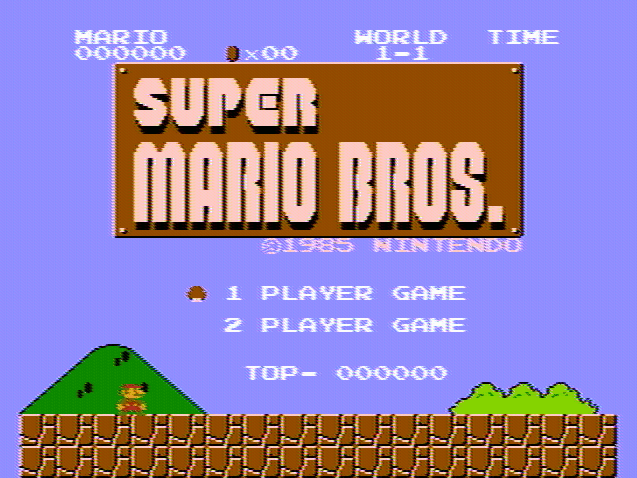
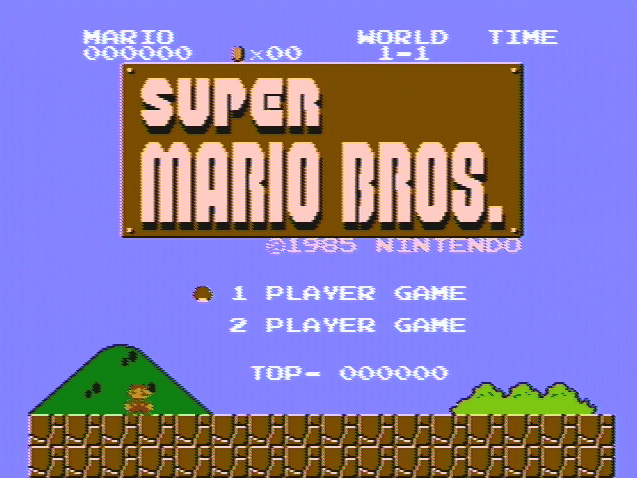
Maybe, maybe not. One of these is a raw video capture from my NES, the other from the latest NTSC emulation code.

Image

Image

by on (#9900)
blargg wrote:
The only picture output of a consumer NES is a composite video waveform (posted elsewhere) and an RF-modulated version of the same. Any emulator which is displaying perfectly rectangular pixels with crisp edges and no bleed is doing a hell of a lot of filtering (try building a device that converts NES composite video to the same crisp image).

If you can discern the 6f color clock visible on cart edge in some hardware versions (21.5 MHz NTSC), then you can divide that by 4 (NTSC) to get the pixel clock. Sample the signal at rising and falling edges of 6f, and you have the exact (sharp) output of the NES. With the signal, the pixel clock, and the color clock, your circuit can discover the hue, the high and low signal levels of each pixel, and which intensity bits are turned on, and then reconstruct this into a discrete YUV pixel. You'd end up with a specialized decoder circuit that translates the output of an NTSC NES into perfect YPbPr signals for a component TV.

by on (#9903)
blargg wrote:
So I guess I agree with you; strict emulation of NES hardware only would generate the ~42 MHz sampling rate video waveform I posted in another thread, and a ~1.79 MHz audio waveform (since that's the actual rate of the APU). Maybe I'll even post a version of my NES emulator which does this. Then even the apparent purists would be shown to be otherwise. :)

Quote:
Even if you love that emulator, the current NTSC source is far from perfection.


Maybe, maybe not. One of these is a raw video capture from my NES, the other from the latest NTSC emulation code.
snip...PICTURES...snip


Even if an emulator that spits out raw waveforms isn't useful for gamers, it definitely has a use for documenting what a real NES actually does, which is important in the long run. I don't have my toaster with me right now, to test, but I am going to guess that the top picture is the real NES. What is the right answer?

by on (#9918)
The bottom picture is blurry than the top one, and colors are a bit darker. I"d say the bottom picture is the real thing..?

About the video signal thing, if you hook it into a PC monitor, what's the image quality? Could someone take a screenshot for further comparision?

by on (#9919)
Bottom screen's horizontal blanking is off-center. I'm guessing that's NES hardware.

by on (#9920)
The bottom picture also has some slight color blending at the top scanline of the floor with the shrubs, so I'm guessing that's the real NES. That, and the off-center horizontal blanking.

by on (#9923)
tepples wrote:
Bottom screen's horizontal blanking is off-center. I'm guessing that's NES hardware.

D'ho! That would have been an easy fix too.
Quietust wrote:
The bottom picture also has some slight color blending at the top scanline of the floor with the shrubs

Bingo. That's the definitive sign, my video capture's likely notch filter blending some of the previous scanline's chroma signal.

by on (#9927)
When you post these huge PNGs, it's best to convert them to 256 colors without dithering. That way they don't take up hundreds of kilobytes, which is important as a POTS dial-up connection can't download more than 300 KB per minute. No, you won't lose much visible information, as you still have 10 PNG colors per ideal NES color.

Examples:
Which leads to another obvious way to detect the emulator image: it is much smaller because it has less noise.

by on (#9933)
Quote:
When you post these huge PNGs, it's best to convert them to 256 colors without dithering.


I didn't want to introduce any artifacts that could affect comparison. Obviously if I wanted small images, I'd use JPEG.

Quote:
Which leads to another obvious way to detect the emulator image: it is much smaller because it has less noise.


I guess we'll need to add in some hard-to-compress noise for a Turing Test-style comparison. But comparing image sizes is one example of using tools to detect differences, which goes beyond the visual test.

The main point of the two images was that the NTSC filter is now nearly the same as video capture.

by on (#9941)
Jagasian wrote:
NTSC artifacting is a necessity for perfecting the accuracy of NES emulation to the point where it could pass a "Turing-test" like experiment with a real NES.
A "Turing test"? Now there's a toy if there ever was one. Also, you'll never pass a Turing test unless you can get your TV-out card to output a non-interlaced signal.
Quietust wrote:
That, and the off-center horizontal blanking.
The off-center blanking is how the PPU operates. It's 15 overscan pixels to the left and 11 to the right. The emulated picture does not reflect that because of Blargg's 7/8 instead of 40/47 ratio.
Blargg wrote:
since my field merging reduces the luma-chroma crosstalk (as tepples said before, this is a 3D comb filter, to some extent).
If you're only merging fields, it's a 2D comb filter. A 3D filter would require you to merge fields as well as lines.
Blargg wrote:
That's the definitive sign, my video capture's likely notch filter blending some of the previous scanline's chroma signal.
It's probably not a notch filter, but a two-line comb filter which does that.

What I'm more surprised at is that both in the emulated and the video-captured pictures, there are still some slight diagonal stripes visible in the solid blue.

by on (#9944)
NewRisingSun wrote:
Jagasian wrote:
NTSC artifacting is a necessity for perfecting the accuracy of NES emulation to the point where it could pass a "Turing-test" like experiment with a real NES.
A "Turing test"? Now there's a toy if there ever was one. Also, you'll never pass a Turing test unless you can get your TV-out card to output a non-interlaced signal.

Unless your computer's TV-in card is considered part of the NES cabling for purposes of the test.

NewRisingSun wrote:
Quietust wrote:
That, and the off-center horizontal blanking.
The off-center blanking is how the PPU operates. It's 15 overscan pixels to the left and 11 to the right.

That's odd, as it would seem to make some horizontal-mirrored games even more off-balance (23 to the left and 11 to the right). Now we know why Super Mario Bros. 3 shoved its attribute artifacts to the right side.

NewRisingSun wrote:
The emulated picture does not reflect that because of Blargg's 7/8 instead of 40/47 ratio.

Using DirectX to scale with your video card's hardware linear interpolation could help hide this.

NewRisingSun wrote:
Blargg wrote:
since my field merging reduces the luma-chroma crosstalk (as tepples said before, this is a 3D comb filter, to some extent).

If you're only merging fields, it's a 2D comb filter. A 3D filter would require you to merge fields as well as lines.

So-called Wolfenstein 3D didn't have any action in the up-and-down dimension.

NewRisingSun wrote:
It's probably not a notch filter, but a two-line comb filter which does that.

A comb filter with zeroes above Fs/6 is the same thing as a notch filter, as it has only one relevant zero.

NewRisingSun wrote:
What I'm more surprised at is that both in the emulated and the video-captured pictures, there are still some slight diagonal stripes visible in the solid blue.

Imperfect chroma-luma separation is probably the culprit. I've seen those stripes when playing NES through a black-and-white TV.

by on (#9959)
tepples wrote:
Imperfect chroma-luma separation is probably the culprit.
But that shouldn't happen in solid areas.

by on (#9963)
NewRisingSun wrote:
tepples wrote:
Imperfect chroma-luma separation is probably the culprit.
But that shouldn't happen in solid areas.

Ideally. But in the real world, we have real filters, which are real imperfect.

by on (#9970)
tepples wrote:
NewRisingSun wrote:
tepples wrote:
Imperfect chroma-luma separation is probably the culprit.
But that shouldn't happen in solid areas.
Ideally.
No, not ideally, realistically. The original code doesn't produce them, and neither do my TV and TV card.

by on (#9991)
blargg,

Can you fix the mentioned bugs and post links to two new screenshots? I am eager to see if your emulator can make screenshots that can fool the expert eyes around here that weren't fooled by the first pair of screenshots. An observable equivalence test has to start somewhere and screenshots seem to be a good objective way to measure. Once an emulator can pass the screenshot test, then we can debate about what constitutes a better test. A set of screenshot pairs could be very convincing that this is more important than other types of pixel filters.

by on (#10064)
I've got the colors very close to what my video capture gives (thanks to some flesh/sky hue warping code from NewRisingSun), but I'm not going to be adding a chroma line delay or low-level noise right now. I think PAL might require this, so if I ever get around to making a PAL filter, this would naturally become available to the NTSC code. I've rewritten the code yet again to build the tables in a clean way and adjust them so you can output to 16-bit RGB pixels without any diagonal stripes in solid color areas, caused by rounding errors getting amplified when truncating to 5 bits per color component.

My main goal is to make it fast and usable in an emulator. Going the last mile to make it indistinguishable from video capture is too labor-intensive given the payoff. If I'm going to do something labor-intensive, writing more test ROMs would be more worthwhile. Like NewRisingSun said, the main value of any of this NTSC decoding is for systems that require it to even get the basic pixel colors correct, like the Apple II.

I've played it now full-screen 640x480 and it's pretty darn close to a TV, but still has a slightly off look (kind of like how digitized NTSC video looks). On a side note, someone's used the code for Atari 800 NTSC and I wrote a SNES version over the past couple of days, probably to appear in bsnes over the weekend. I was bored so I made another GIF animation of even and odd fields using the latest code.

Image

by on (#10084)
Quote:
adding a chroma line delay or low-level noise right now. I think PAL might require this
Not if you're going for a "Simple PAL" decoder. Since we're not dealing with terrestial reception problems, you won't need the delay line even for PAL.

Have you already replaced the Gaussian with the Bessel filter? That might be the one factor still significant in achieving a perfect TV look.

by on (#10085)
The Atari 800 modifications someone made to an earlier version I posted here included PAL line delay which was necessary for some demos to look right (it cleverly used even scanlines for chroma information and odd for luma, allowing many more colors than the system has. Good to know though; the table-based algorithm wouldn't like that as much.

Quote:
Have you already replaced the Gaussian with the Bessel filter? That might be the one factor still significant in achieving a perfect TV look.


Nope. I'm kind of sore about that too, since I attempted a "by-the-book" decoder by generating the NES video waveform at 42 MHz and filtering that down. I never could get the damn luma and chroma filters to work well; the chroma kept getting the blips at the edges of large luma changes, as you'd expect since an amplitude step is made up of many harmonics. Until I can get that working, I probably won't mess with the filter. And like I said, I'm sore on this issue so I'm not really interested in discussing solutions at the moment (even if you have one that works heh).

I did make one important improvement to your gaussian kernel, though: ensure that the sums of every fourth point (at each of the four phases) total 0.5, otherwise it will favor one of the Y+I, Y+Q, Y-I, or Y-Q components. I wrote a simple normalization after the kernel is generated that just finds the sums and then scales every fourth sample for each phase by the appropriate ammount. Your gaussian approaches this ideal as it gets wider, but for really small sizes it's off (in my table I'm using a gaussian of width 13, so each side is 6 points). Also, I found that I could vary the width (via the factor inside the call to exp()) and reduce the "echoes" around text, at the expenst of adding slightly more color fringe.

I remember what the problem was, I read that the luma spectral components interleve with the chroma components, so you need a comb filter to separate them properly. I'm not at all up on comb filters was overwhelmed by things I didn't understand.
Re: NTSC NES Composite Video Emulator
by on (#155644)
Bumping this OLD thread because I have a question about this particular filter's method for some sliders. In my PAL filter implementation, I'm getting somewhat close to composite output I see from my tuner, and I made notch simulator that reduces moire on solid colors, but I'm stuck with implementing the sharpness slider. I fail to understand how it decides what to reduce, and what colors it uses and how. It's not some blending, in Blargg's NTSC filter blending is more like the resolution slider.

Image

And this is how close the Blargg's filter gets to my tuner:

Image
Re: NTSC NES Composite Video Emulator
by on (#155648)
As I remember, my sharpness is just 2D (scanline) edge enhancement. In its more basic form, you exaggerate differences between pixels, but correct before/after to keep the absolute level the same. So 10, 10, 90, 90 becomes 10, 0, 100, 90 if you're enhancing, and 10, 20, 80, 90 if you're softening.
Re: NTSC NES Composite Video Emulator
by on (#155651)
So you're also detecting edges somehow? Is that within RGB? What's the principle? Or it's just for any changing color?
Re: NTSC NES Composite Video Emulator
by on (#155674)
The principle is convolution. Convolving a picture with, say, [1, 6, 1]/8 will soften edges, and convolving it with [-1, 10, -1]/8 will sharpen them. The first means you take 1/8 times the pixel to the left, 6/8 times the pixel to the middle, and 1/8 times the pixel to the right, and add them.
Re: NTSC NES Composite Video Emulator
by on (#155838)
Thank you guys, added sharpness that looks quite right (except for a few too bright pixels):
http://savepic.su/6222236.png

What I really need now is how fringing works. It creates rainbow effect when luma level suddenly changes, and color depends on how far from colorburst it is, but what are the colors and what are the lengths for them? I compared Blargg's filter to my tuner, and even though the color is not the same, the idea is still quite clear.

Even if exact values aren't known, I at least would like to know what setup is there in Blargg's filter.
Re: NTSC NES Composite Video Emulator
by on (#155841)
Beyond what's written in the wiki page, how best to explain it to you depends on what concepts you already understand. Are you familiar with the concepts of YUV color space and quadrature amplitude modulation (QAM)?
Re: NTSC NES Composite Video Emulator
by on (#155842)
Sure, this is how I did moire.
https://sourceforge.net/p/fceultra/code ... t.cpp#l634
https://sourceforge.net/p/fceultra/code ... t.cpp#l469

I know that fringing occurs because notch filter can't properly recognize luma from chroma (if tweaked wrong), which are not very separated in the signal. But not what color depends on what position and what luma change. And wether it depends on luma going up or down.
Re: NTSC NES Composite Video Emulator
by on (#156243)
tepples wrote:
Beyond what's written in the wiki page, how best to explain it to you depends on what concepts you already understand. Are you familiar with the concepts of YUV color space and quadrature amplitude modulation (QAM)?

Now as Bisqwit has told me the principle behind fringing, I understand it a bit better, but still have questions. On that page it's said that NES generates 8 samples per pixel, and decoder expects 12. Does it mean decoder fetches 4 more samples to generate every pixel, and so it gets a few samples from the following pixel, mixing their colors because of that? Then it would make sense how rainbow colors depend on position on screen and on colors it appears between. But then, how does that concern luma level change, if at all?
Re: NTSC NES Composite Video Emulator
by on (#156244)
feos wrote:
On that page it's said that NES generates 8 samples per pixel, and decoder expects 12. Does it mean decoder fetches 4 more samples to generate every pixel, and so it gets a few samples from the following pixel, mixing their colors because of that?
Bisqwit's write up is an approximation that is closer to right than to wrong.

A real NTSC decoder does not use a 12-sample "boxcar" bandpass filter. Either it uses explicit demodulation followed by a lowpass filter, or it uses a bandpass filter that's much longer than 12 samples)

Quote:
How does that concern luma level change, if at all?
Luma is decoded by re-modulating the U & V components and subtracting those from the received composite video. (Since composite = luma + chroma, theoretically composite - chroma = luma)
Re: NTSC NES Composite Video Emulator
by on (#156247)
Which of those filters is notch? I've heard it's not applied to S-Video signal, so we can see full subcarrier there, and there's also fringing too. Note that fringing/rainbow effect was my initial question a page earlier.

Image
Re: NTSC NES Composite Video Emulator
by on (#156249)
The end result of demodulating chroma, filtering it, remodulating it, and subtracting that from luma produces an effective notch filter on the luma signal.
Re: NTSC NES Composite Video Emulator
by on (#156251)
My point is, notch/lowpass is probably not a reason to fringing like on the picture above.
Re: NTSC NES Composite Video Emulator
by on (#156252)
Hmm, I think that looks like an overly exaggerated luma-into-chroma chrosstalk... ?

Three NTSC NES pixels = two NTSC color periods, so an area has to be at least NTSC NES pixels wide before it even theoretically could reach steady-state.

And, uh, six PAL NES pixels = five PAL color periods, so an area probably has to be at least six PAL NES pixels wide to reach steady state.
Re: NTSC NES Composite Video Emulator
by on (#156299)
Right, I tweaked the tuner so that the colors are the most visible. Inability to reach steady state doesn't look like a reason either, because there's no need for the color to appear only shortly to generate rainbow. It occurs on borders of huge solid blocks of black/white/gray too. Color depends on horizontal position of the border, but I'm not a ROM hacker to showcase that too.

Image
Re: NTSC NES Composite Video Emulator
by on (#156302)
IF you're doing composite demodulation (and not s-video), that's correct. The exact horizontal position of the transition will produce color artifacts.

(The receiver cannot know where the pixel edges are, so it's hard to distinguish between a true chroma signal and some other random sharp edge. That said, later televisions started using more and more sophisticated algorithms to separate luma from chroma. Later than the NES, anyway.)
Re: NTSC NES Composite Video Emulator
by on (#156540)
lidnariq wrote:
feos wrote:
On that page it's said that NES generates 8 samples per pixel, and decoder expects 12. Does it mean decoder fetches 4 more samples to generate every pixel, and so it gets a few samples from the following pixel, mixing their colors because of that?
Bisqwit's write up is an approximation that is closer to right than to wrong.

A real NTSC decoder does not use a 12-sample "boxcar" bandpass filter. Either it uses explicit demodulation followed by a lowpass filter, or it uses a bandpass filter that's much longer than 12 samples)

Let's abstract from filtering for a moment. While generating those 8 samples per pixel, does NES resume generating the following 4 during the next pixel, or it just cuts the previous signal period and starts the next one?

Like, does a triplet of solid color pixels look like that

Code:
|00 01 02 03 04 05         |         03 04 05 06 07 08|                  06 07 08|
|                  06 07 08|00 01 02                  |00 01 02 03 04 05         |


or like that

Code:
|00 01 02 03 04 05         |00 01 02 03 04 05         |00 01 02 03 04 05         |
|                  06 07 08|                  06 07 08|                  06 07 08|


Judging by tuner screenshots, it's the former, with each pixel getting the average value between the 2 levels depending on their presence. Used SVideo output to get rid of notch. Maybe the numbers need an amendment considering PAL standard for that particular picture, but the question I'm asking will generally work for both.

Image
Re: NTSC NES Composite Video Emulator
by on (#156564)
feos wrote:
While generating those 8 samples per pixel, does NES resume generating the following 4 during the next pixel, or it just cuts the previous signal period and starts the next one?
[...]
Maybe the numbers need an amendment considering PAL standard for that particular picture, but the question I'm asking will generally work for both.
Yes, both the 2C02 and 2C07 do not restart phase on a pixel border. The 2C02 generates 8 samples; the 2C07 generates 10. The chroma modulation frequency for both video standards corresponds to 12 samples.
Re: NTSC NES Composite Video Emulator
by on (#156690)
feos wrote:
Like, does a triplet of solid color pixels look like that

Code:
|00 01 02 03 04 05         |         03 04 05 06 07 08|                  06 07 08|
|                  06 07 08|00 01 02                  |00 01 02 03 04 05         |


Since color subcarrier generator works independently to video generator, the solid color area will be like above. But as the size and position of each pixel is not a multiple of the color subcarrier then be the duty cycle distortion of the color subcarrier at the boundaries of two different colors.
Code:
|00 01 02 03 04 05         |00 01 02 03               |
|                  06 07 08|            04 05 06 07 08|

Hint: to study the effect of the position of a pixel on a fringing make a ROM, which will gradually be shifted pixel by pixel black and white border with maximum difference (between colors 0x0D and 0x30). Moreover, in three different versions: black-white, white-black, black-white-black. You can do it without using sprites: just use to solid B&W symbols and 8 symbols with different vertical variants of B&W pixels, using last ones on edge in name table. And joypad control for changing pixel edge position.
Re: NTSC NES Composite Video Emulator
by on (#156693)
Correct.

Tepples wrote a test (tvpassfail) that specifically abuses this beat pattern to make the color disappear. It works by taking three colors at phases offset by 4 columns (e.g. shades $11, $15, and $19) and making a simple repeating pattern out of it (over 9 total tiles for a 24x24 pixel repeat).

When the phase restarts every pixel, the result has frequency content only at multiples of 1/2 of the pixel rate, i.e. 2.7MHz, 5.4MHz, 8.1MHz, and 10.7MHz, so there's no decoded chroma signal.
Re: NTSC NES Composite Video Emulator
by on (#156908)
I finally emulated the correct subcarrier view using all the formulas, but I still have one huge suspicion: that next color is guessed by the decoder only at the first subcarrier peek. This is hard to determine on tuner screenshots due to blending, but it looks like the only reason to have saw-like edges. It also happens on NTSC, but there full vertical subcarrier cycle is 3 pixels, while it's 6 on PAL, so the former case looks more aggressive.

Image

Image

At first I thought that filtering edges only partially was the reason, but it really looks like it's not just that.
Re: NTSC NES Composite Video Emulator
by on (#156910)
feos wrote:
I still have one huge suspicion: that next color is guessed by the decoder only at the first subcarrier peak.
In a simplistic sense, it's impossible to detect the amplitude and phase of a QAM signal until a substantial portion of a whole period has arrived.

I think broadcast TV moved the chroma signal earlier relative to the luma signal, so that both would appear on screen in the same horizontal position without needing yet another analog delay line in the end-user's set, but direct generation as with the NES doesn't have that.