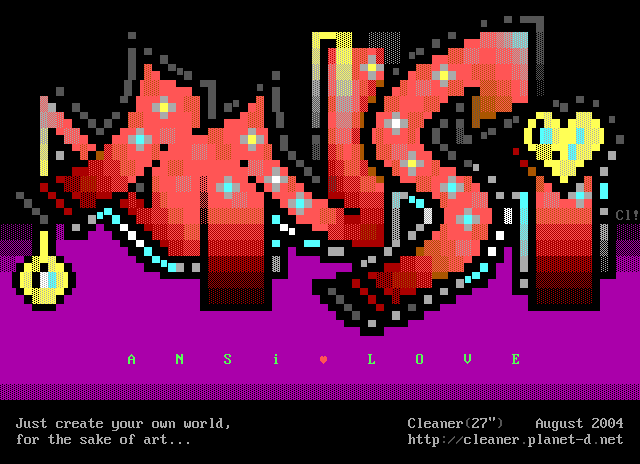
PC compatible text modes

This is an archive of a topic from NESdev BBS, taken in mid-October 2019 before a server upgrade.
View original topic
PC compatible text modes
by on (#177820)
How does text mode works on PC compatibles? How similar are those still done today on modern computers? How similar was it to, e.g. NES BG graphics?

The only information I found is that the orignal IMB PC had a fixed 80x25 character resolution and was monochrome by default. You could buy expensive extention carts to get colour and/or higher resolution graphics, but the PC was already natively handling colour internally. I think it has 16 colours (4 shades of gray and 12 full hues colours at 2 level of brightness). It seems to use a tile system which allows 256 tiles and a background and foreground color for each of them but the background can only be among the "dark" set of 8 colours. (The extra bit is used for blinking, which is very stupid since that effect could be done in software.)

As such each caracter is definied as a "word", 1 byte for attribute and 1 byte for character. But how does the program mantain compatibility if the terminal is larger than 80x25 ? Do they allow to modify tiles like NES does with CHR-RAM ? But if you don't know what is the size of the characters in the first place, how is it done ?

Is there somewhere a comprehensive list of graphic modes for PCs ? It seems I cannot find any. My understanding is that in bitmap modes, the first PCs could only draw CGA, and thus be less colorful than text mode where all 16 colours could be used anywhere, but I'm not even sure about that. Eventually, 16-colour, 256 colour and 65536 colour and 32k colour graphical mode became common.
Re: PC compatible text modes
by on (#177822)
I believe it's basically a "CHR-RAM" kind of situation, and a lot of the setup of font modes was software driven. I think the "default" font sets were stored in a PC's BIOS and copied into video RAM when you change the mode via some BIOS routine (int 10h or something). There's more options as you progress from CGA to EGA to VGA, but I don't remember any of the details anymore. Everything that you speculated sounds correct to me, though.

Digging through some of my old DOS code, I found stuff that reads the 8x8 font from the BIOS (found at $FFA6E) and uses that as a convenient font set instead of having to generate one in my own program. I can't seem to find anything that attempts to change the font set, though I know I did it at some point.

You can bypass the BIOS routines, though, and mess with the hardware registers directly too. I don't know how common that was with CGA/EGA but it got really popular to do this with VGA (was especially useful for scrolling). So, in some cases it'd be hard to compile a standard list of available resolutions/modes, 'cause a lot of permutations of the settings have been attempted over the years!
Re: PC compatible text modes
by on (#177823)
This article seems to have a lot of useful information:
https://en.wikipedia.org/wiki/VGA-compatible_text_mode
Re: PC compatible text modes
by on (#177826)
MDA has CHR ROM. EGA and VGA have CHR RAM. I don't know about CGA.

Some pre-EGA video cards will cause snow on the video if VRAM is written outside blanking.
Re: PC compatible text modes
by on (#177830)
Bregalad wrote:
The only information I found is that the orignal IBM PC had a fixed 80x25 character resolution and was monochrome by default.
That's the MDA card. It was $300 when new.

Quote:
You could buy expensive extension cards to get colour and/or higher resolution graphics, but the PC was already natively handling colour internally.
Those are: the CGA, the PGA PGC, and "no it wasn't".

The CGA was not more expensive that the MDA when new, and the CGA and MDA were both launch peripherals. (However, the CGA 5153 monitor was not. Early CGA card users had to use the CGA's awkward composite video output)

PGA PGC was later and thousands of dollars more.

Quote:
I think it has 16 colours (4 shades of gray and 12 full hues colours at 2 level of brightness).
See RGBI video.

Quote:
(The extra bit is used for blinking, which is very stupid since that effect could be done in software.)
In practice, no, it couldn't. The original XT was just too slow for that to be practical.

Additionally, there is a toggle that disables that, so that you can get bright backgrounds.
CGA: port 3D8h & 0x20
MDA: port 3B8h & 0x20
EGA/VGA: port 3C0h function 10h & 0x8

Quote:
How does the program maintain compatibility if the terminal is larger than 80x25 ?
The XT BIOS implemented routines that specifically stored the current width of the screen, and could be told to adjust to whatever the physical resolution was.

See also the software SVGATextMode

Quote:
Do they allow to modify tiles like NES does with CHR-RAM ?
Only with the EGA and newer.

Quote:
But if you don't know what is the size of the characters in the first place, how is it done ?
Characters are only ever 8 or 9 dots wide. There is a register that controls this, starting with the Hercules and EGA cards.

Characters can be anywhere from 1 to 64 scanlines tall. There is a register that controls that, too. (port 3C4h function 9)

Please see https://www-user.tu-chemnitz.de/~kzs/to ... ga/vga.txt

Quote:
Is there somewhere a comprehensive list of graphic modes for PCs ?
Please look up Ralf Brown's interrupt list.

Interrupt 10h, function AH=0

rainwarrior wrote:
Digging through some of my old DOS code, I found stuff that reads the 8x8 font from the BIOS (found at $FFA6E)
Interrupt 43h.

rainwarrior wrote:
I can't seem to find anything that attempts to change the font set, though I know I did it at some point.
Interrupt 10h, AX=1100h.

Quote:
I don't know how common [reprogramming the CGA's registers was] was with CGA/EGA but it got really popular to do this with VGA
It was very rare with CGA. As far as non-modern options go, it's basically just California Games (which used timed code to change between the CGA's red-green-yellow video mode and the cyan-magenta-white video mode)

Title screen: http://www.reenigne.org/blog/crtc-emulation-for-mess/
Footbag: http://www.mobygames.com/game/dos/calif ... otId,7722/

tepples wrote:
I don't know about CGA.
CGA actually shares the same physical ROM for the character generator with the MDA card. One half holds the MDA font, the other half holds two variants (one rarely seen) for the CGA.
Re: PC compatible text modes
by on (#177832)
Bregalad wrote:
How does text mode works on PC compatibles?

A portion of video RAM is used for character-attribute byte pairs. One byte selects the character from ROM (CGA, MDA) or video RAM (EGA, VGA). The other byte selects foreground and background color (up to 4 bits each), attributes like blinking and underline (where available/enabled), and even has one bit that can do double-duty as a color selection bit and as a 9th character selection bit, for up to 512 unique characters on the screen at a time at the expense of some flexibility in color choice (EGA, VGA).

Each character is displayed either 8 or 9 pixels wide, with the 9th column being either empty or a duplicate of the 8th column depending on character value and the configuration of the card. The screen is either 40 or 80 characters wide. Character height is programmable, but typical height values are 8 pixels, 14 pixels, and 16 pixels tall, and the character height is usually chosen to make the screen 25 characters tall.

Bregalad wrote:
How similar are those still done today on modern computers?

Most modern video cards implement a pretty good VGA simulation in hardware (and maybe firmware). From a software perspective, a modern video card running in VGA mode is usually indistinguishable from an IBM VGA.

Bregalad wrote:
How similar was it to, e.g. NES BG graphics?

Pretty similar. You have a grid of tiles and their attributes. In some ways it's more flexible (palette is set for each character instead of for groups of 4 characters), in other ways it's less flexible (only 2 colors per character).

Bregalad wrote:
But how does the program mantain compatibility if the terminal is larger than 80x25 ?

Programs that used text mode as a terminal would usually interact through DOS or BIOS calls, which would mostly abstract away the difference. Programs that directly manipulate video RAM would have trouble if they made assumptions about the video card's current state. Programs that directly set a high-density text mode like that would be aware that the terminal is larger than normal and have no trouble.

Bregalad wrote:
Do they allow to modify tiles like NES does with CHR-RAM ?

For CGA and MDA, no. For EGA and VGA, yes.

Bregalad wrote:
But if you don't know what is the size of the characters in the first place, how is it done ?

Software that modifies the tiles in video RAM will usually also reprogram the video card to a known state, including tile size.

Bregalad wrote:
Is there somewhere a comprehensive list of graphic modes for PCs ?

No. There is a list of BIOS video modes for PCs in RBIL, where modes 00h through 07h and 0Dh through 13h are the ones that could be most easily set, but games are likely to manually program the video card registers to set their own custom mode, and this doesn't even begin to cover SVGA and beyond.
Re: PC compatible text modes
by on (#177847)
Wow, what a mess. Those 3 letters accronyms are confusing. No wonder why backwards compatibility with old PC or DOS programs is so terrible.

Quote:
Software that modifies the tiles in video RAM will usually also reprogram the video card to a known state, including tile size.

Oh, and what if the exact size we expect isn't available with a given video cart ?
Re: PC compatible text modes
by on (#177868)
The VGA was sufficiently constrained that there wasn't really such a concept.

At that point everyone had the same lowest common denominator:
31.5 kHz hsync
choice of 60 or 70 Hz vsync
choice of one of two pixel clocks: 28.3 MHz and 25.2 MHz
optional toggle to halve pixel clock
an optional toggle to doublescan
guaranteed minimum horizontal underscan of 80%; guaranteed minimum vertical underscan of 90%

In practice, this meant that the "tweak" modes were always 320, 360, 640, or 720 pixels wide, and 200, 240, 350, 400, or 480 scanlines tall. Hence the weird resolution of the Windows 95 animated startup and shutdown screens. (The 350 scanline-high mode was actually controlled by the monitor: the card would say "please stretch this extra vertically", even though the exact timing is identical to the 400-scanline mode)

There was a piece of software at the time called Tweak which let you explore this, as well as load the settings of your video card and "black box" away the pixel clock selection.

Reprogramming the video mode registers was relatively rare until the VGA card, so "tweaked" video modes for the CGA were basically limited to changing the character cell height — see http://8088mph.blogspot.com/2015/04/cga ... rated.html . Trixter has make a "authentic CGA calibration" program that implies that the amount of underscanning of a "real" CGA monitor should be enough to draw a just-barely-overscanned 720x240 pixels.

Starting with the EGA, people usually used the planar graphics mode instead of the tiled text mode; the only instance I remember of explicitly using the EGA text mode in clever ways is Megazeux ... and the only VGA game instance I can remember is Excelsior.

—

A lot of early VGA compatible cards used the explicitly reserved settings at register 3C2h & 0x0C to add two more clock selections, most often 36 MHz and 40 MHz, explicitly for the 800x600@56Hz graphics mode and something compatible with the VT100's 132x25 text mode.

Later video cards either added a large variety of physical clocks—I remember one card that could choose between 32 different frequencies. Even later we finally got good enough at making stable enough PLLs to allow almost-arbitrary pixel clocks.
Re: PC compatible text modes
by on (#177886)
Reading all those messages make me feel nostalgic of the dos days :) I remember making text routine that would write at 0xB000 since it was faster than using the bios ones .

@Bregalad

If you want and old book about pc programming in french, Micro Application had "la bible du pc"'which I remember using a long time ago.
Re: PC compatible text modes
by on (#177887)
Bregalad wrote:
No wonder why backwards compatibility with old PC or DOS programs is so terrible.

Most compatibility issues for old PC software have nothing at all to do with the video card. VGA has good backwards compatibility with CGA, MDA, and EGA, and 99% of PC video cards are VGA-compatible.

Bregalad wrote:
Oh, and what if the exact size we expect isn't available with a given video cart ?

That wasn't really an issue. Most software didn't try to use any features beyond the base set available with VGA (or CGA/MDA/EGA, if the software was developed with that in mind) so any VGA-compatible video card would work. If you could set a video mode on one VGA-compatible card, you could be certain it would work on other VGA-compatible cards.
Re: PC compatible text modes
by on (#177895)
Bregalad wrote:
Wow, what a mess. Those 3 letters accronyms are confusing. No wonder why backwards compatibility with old PC or DOS programs is so terrible.


Well, there was a straightforward progression from CGA to EGA to VGA (despite the "A" standing for a different word in VGA). Each backward compatible with the previous.

Each had a 320x200 low resolution mode commonly used in games. CGA with 2-bit colour (very limited palette), EGA 4-bit, and VGA 8-bit.

CGA text mode had 40x25 or 80x25 characters (8x8), either had the 16 colour scheme you're already familiar with. EGA added another 80x25 mode with 8x14 characters instead, which I think is the most commonly used one. EGA was also when the font set became customizable, apparently (though this remained somewhat rare to do, I think).

There's also an 80x43 text mode (8x8) in EGA. This came up less often, but was useful for things like map editors. I think this was an aesthetic influence for Dwarf Fortress.


That's the most common stuff, I think. There's other modes and obscure details every level of this puzzle, and a bunch of other variations on graphics cards (MDA, Hercules, MCGA, etc.) but these were the most popular targets. Games mostly used the 320x200 modes for a long time. I don't think using the text modes with custom font for tiled graphics was ever very common, mostly it was just used "as intended" for text.
Re: PC compatible text modes
by on (#177906)
I have schematics for PC CGA. In text mode you can have 80x25 tiles or 40x25 tiles, each tile with two colours selected from sixteen; if the mode register specifies flashing text enabled then you can have only eight background colours because one bit is instead used for making the text to flash. Patterns are taken from ROM, and a jumper can be used to select between two sets of patterns. The patterns for MDPA are stored in the same ROM as CGA (apparently this is so that they do not need to make two separate ROMs). Timing and some other stuff (tile height, tiles per scanline, cursor position, etc) done by the 6845 CRTC chip, which outputs the address and then the other logic in the circuit is used to read two bytes from video memory, using the address from CRTC is doubled and then the low bit of the actual address is clear for the character byte and is set for the colour byte (the low 4-bits for foreground, high 4-bits for background).
Re: PC compatible text modes
by on (#177908)
rainwarrior wrote:
text modes with custom font for tiled graphics was ever very common, mostly it was just used "as intended" for text.

Do you mean like MZX and ZZT, or like the "Macrocom Method"?
Re: PC compatible text modes
by on (#177909)
I think you lost a negation?

Anyway, there were lots of games that used text mode for games that weren't just textual. Kroz, ZZT, all of the roguelikes ...

I just can't think of anything contemporary other than Macrocom's and Round42 that used the shortened characters for graphics (but do note the modern Magiduck).

... much like I can only think of Megazeux and Excelsior for games that reprogrammed the font ... oh, wait, I did encounter these ones recently.
Re: PC compatible text modes
by on (#177916)
Myask wrote:
rainwarrior wrote:
I don't think using the text modes with custom font for tiled graphics was ever very common, mostly it was just used "as intended" for text.

Do you mean like MZX and ZZT, or like the "Macrocom Method"?

Nope, I'd never used Megazeux, or heard of Macrocom. Maybe tile replacement was more common than I thought? It really didn't come up much for me, though. Enough that I knew it existed, but not enough that I could remember any examples of it.

There were lots of games that used the default font tiles to make graphics for games, I didn't mean to sound like I was excluding those with the words "as intended". (The NIBBLES.BAS game which came with MS-DOS, BBS door games like Legend of the Red Dragon often had "ASCII art", lidnariq mentioned roguelikes and there's a lot of those.)

What I meant was that I could think of very few games that replaced tiles to make custom graphics, the way you would normally do on the NES (where there isn't a default set, and games are the primary focus of the platform). Most of them stuck with the default font set, some standard text mode, and the 16 colours (2 per tile) available since CGA.

It seems like the MSX had a text mode that did often get used that way for games (e.g. MSX R-Type), and I've wondered if the ZX colour artifacts are also due to it being based on a similar text mode hardware implementation, but I don't know too much about either of those systems, so I could be mistaken. I thought this was what Bregalad was getting at, though, the similarity between the NES tile capabilities and text modes of computers that were contemporary to it.


I think part of why is just that once you get to EGA, it only really helps you to use text mode if your game is very rigidly made of a grid of tiles (like Megazeux seems to be), or is mostly text anyway. Like, it's really convenient and you can probably update large parts of your screen efficiently, as opposed to software rendering tiles in a bitmapped screen mode. It's a huge disadvantage, of course, as soon as you want things moving smoothly between the tiles, since you don't have a "sprite" layer or anything like that to mix with it. By the time you got to VGA, software rendering wasn't really such a problem anymore anyway, so if you were going text, maybe you were into the ASCII aesthetic already?


The Macrocrom method is a bit curious. Yet another CGA abuse trick, I guess. There seems to be a lot of interesting obscure tricks to do with CGA.
Re: PC compatible text modes
by on (#177927)
So what is the best, using direct communication with VGA card, or using the ncurses library ?

If the latter, how do we to reprogram character set with the ncurses library so set your own tiles ?

If the former, how do I access the VGA card (or it's simulation) with the C language ?

Quote:
Characters can be anywhere from 1 to 64 scanlines tall. There is a register that controls that, too. (port 3C4h function 9)

The idea of 1 line characters is interesting, that way we get tiles horizontally and bitmap vertically. However with monochrome 8-piexl wide characters it doesn't make much sense since you can get basically bitmap using 256 characters.

The idea of super-tall characters is interesting as well, although I can't think of any usage right now.
Re: PC compatible text modes
by on (#177935)
Bregalad wrote:
So what is the best, using direct communication with VGA card, or using the ncurses library ?

What is your target system? Modern operating systems don't allow direct hardware access, and even if they did they probably wouldn't be using the video card's VGA compatibility mode.

Bregalad wrote:
If the latter, how do we to reprogram character set with the ncurses library so set your own tiles ?

I don't think ncurses has any function to set custom glyphs.

Bregalad wrote:
If the former, how do I access the VGA card (or it's simulation) with the C language ?

This depends on the API of your target operating system.
Re: PC compatible text modes
by on (#177936)
Joe wrote:
What is your target system?

Ideally, both old and modern PCs runnign both Windows and any Linux.

Quote:
Modern operating systems don't allow direct hardware access

Does they allow indirect access through BIOS calls ? How to do those with C language ?

Quote:
I don't think ncurses has any function to set custom glyphs.

Oh that sucks. This library looked like it was the best to do a progam dealing with PC compatible text mode.

Quote:
This depends on the API of your target operating system.

Therefore it's impractical not using any API.
Re: PC compatible text modes
by on (#177938)
Bregalad wrote:
Ideally, both old and modern PCs runnign both Windows and any Linux.

In that case, you shouldn't bother with VGA text modes.

Bregalad wrote:
Does they allow indirect access through BIOS calls ?

No.

Bregalad wrote:
How to do those with C language ?

That depends on the OS API, but there's no such API for Windows or Linux since they don't allow BIOS access.
Re: PC compatible text modes
by on (#177943)
Quote:
That depends on the OS API, but there's no such API for Windows or Linux since they don't allow BIOS access.

So basically, everything is forbidden. Seriously, where's the fun ? This sucks.
Re: PC compatible text modes
by on (#177946)
What exactly is trying to be accomplished here?

Are you trying to make a Win32 console application that looks like a "classic MS-DOS app" in the sense of an 80x25 (or other size) "text window" that contains what we old bastards would colloquially refer to as "ANSI text/graphics"?

If so, that is actually possible (I know because I had a roommate who wrote a music player (MOD/IT/XM/etc.) that used Win32's console window as its main interface for everything, so it used colour and so on). Screenshot is attached. Windows actually provides a way to do this, if I remember right, by basically giving you a piece of memory that represents the console screen/buffer and you're forced to do all the rest yourself.

So is this thread about understanding old PC graphics and text modes, or is it about trying to implement them or use them on present-day PCs (really not feasible) while in Windows? (I went back and re-read the entire thread to see if I missed something -- I haven't)
Re: PC compatible text modes
by on (#177948)
Messing with other applications running on the same machine, possibly run by other users of the machine in the background or through a network connection, is forbidden.

And the classic text mode is such an edge case that modern APIs assume drawing a proportional, usually antialiased font to an all-points-addressable display plane.
Re: PC compatible text modes
by on (#177949)
koitsu wrote:
What exactly is trying to be accomplished here?

Are you trying to make a Win32 console application that looks like a "classic MS-DOS app" in the sense of an 80x25 (or other size) "text window" that contains what we old bastards would colloquially refer to as "ANSI text/graphics"?

Indeed, that's exactly what I have in mind.

Quote:
If so, that is actually possible

It is certainly possible using ncurses, I just tried it works fine even on Windows. However, I don't think it allows to create your own characters, which is quite limiting.

Quote:
So is this thread about understanding old PC graphics and text modes, or is it about trying to implement them or use them on present-day PCs

Both ? I tought the whole point of "PC compatibles" is that older stuff is still supported - at least most PC will boot in text-mode until the OS is actually loaded and some linuxes will stay in text mode by default (now it is not uncommon to have framebuffer mode by default, which is a text mode emulated with a hardware bitmap mode).
Re: PC compatible text modes
by on (#177952)
Bregalad wrote:
koitsu wrote:
What exactly is trying to be accomplished here?

Are you trying to make a Win32 console application that looks like a "classic MS-DOS app" in the sense of an 80x25 (or other size) "text window" that contains what we old bastards would colloquially refer to as "ANSI text/graphics"?

Indeed, that's exactly what I have in mind.

Then some sort of terminal emulator written in SDL or Allegro and built into your application might be better. The hard part might be blitting glyphs from your font sheet to the output buffer with palette-swapping.

Quote:
Quote:
If so, that is actually possible

It is certainly possible using ncurses, I just tried it works fine even on Windows. However, I don't think it allows to create your own characters, which is quite limiting.

Have you tried making your own monospaced TrueType font in FontForge and using regedit to add the font to Windows Command Prompt?

Quote:
Quote:
So is this thread about understanding old PC graphics and text modes, or is it about trying to implement them or use them on present-day PCs

Both ? I tought the whole point of "PC compatibles" is that older stuff is still supported

Just because the older stuff is supported through the boot process doesn't mean it's supported once the multitasking, multiuser operating system has taken over. Most people demand a web browser and 3D graphics, not hardware text mode.
Re: PC compatible text modes
by on (#177953)
@Bregalad

If your goal is to program the "old way" as a learning experience then I guess most text based mode should work without issue under dosbox either in windows or linux.

You can do it then either in C under turbo C/DJGPP or maybe there must be other free alternative. If you want a bigger challenge then just do it in x86 assembler! Basic x86 is not so bad, just the segmented memory can be a pain at the beginning. You can even write some assembler code inside turbo C 3.0 if you want (and some version of turbo pascal allowed too my memory is good).
Re: PC compatible text modes
by on (#177956)
Bregalad wrote:
The idea of super-tall characters is interesting as well, although I can't think of any usage right now.

Blazing fast coarse horizontal scrolling?
Re: PC compatible text modes
by on (#177958)
So this explains why all fullscreen applications stopped to work in Windows 7. I consider this a serious deffect of the OS and I am seriously considering rolling back to XP just to be able to use fullscreen applications natively again. Since I'll be using an OS considered extremely outdated and obsolete anyway, I might as well using one which offers me the features I need. Any Windows more recent than 7 is out of the question because their GUI is retarded and that's another topic.

Developing new applications which requires DOSBox do not sound like a great idea to me. It'd feel like programming a NES game intended to be run in Nesticle.

I guess I'm stuck using ncurses and the default character set, and use it to create my graphics.

Quote:
Have you tried making your own monospaced TrueType font in FontForge and using regedit to add the font to Windows Command Prompt?

I of course cannot ask users to take all those step themselves before using my program, and this is a Windows-only solution.

Quote:
Just because the older stuff is supported through the boot process doesn't mean it's supported once the multitasking, multiuser operating system has taken over.

But it'd be extremely impractical to write a program which is designed to be booted into. Users would have to reserve a partition on a USB key or CF card or whathever storage device just for this program, and they'd have to reboot every time they want to use it. Also, I'd have to embeed a lot of libraries to read all file systems into my program, and it'd be though to debug. This is probably even worse than relying on DOSBox.

Quote:
Most people demand a web browser and 3D graphics, not hardware text mode.

So do I, but Windows 95 up to Windows XP supported web browsers, 3D graphics and full-screen programs.
Re: PC compatible text modes
by on (#177962)
Bregalad wrote:
It is certainly possible using ncurses, I just tried it works fine even on Windows. However, I don't think it allows to create your own characters, which is quite limiting.

Program I posted a screenshot of does not use ncurses (that's just a convenience library on *IX platforms for terminal manipulation and some framework bits that make generating escape sequences for different terminal types applicable; on Windows there is no concept of a terminal (pedantic replies will be ignored)). Said application was pure Win32 in C or C++ and maybe a bit of assembly.

The Win32 functionality you want is documented: https://msdn.microsoft.com/en-us/library/windows/desktop/ms682073(v=vs.85).aspx

Changing of font/glyphs is supported through the SetCurrentConsoleFontEx() function which utilises the CONSOLE_FONT_INFOEX struct. You'll need to make your own font for this though (I think this can be installed/uninstalled or utilised somehow during runtime vs. the user having to install it manually).

If what you're wanting is "real-time character/glyph changing", like the ability on classic PCs in MS-DOS to manipulate the BIOS font used, I don't think that's possible. In that situation, you'd need to resort to using something like DirectX and doing everything yourself; yeah, not fun. Maybe SDL or Allegro has support to make this kind of thing a lot easier (but the app will no longer be a Win32 console app and won't use the Win32 console).

Quote:
Both ? I tought the whole point of "PC compatibles" is that older stuff is still supported - at least most PC will boot in text-mode until the OS is actually loaded and some linuxes will stay in text mode by default (now it is not uncommon to have framebuffer mode by default, which is a text mode emulated with a hardware bitmap mode).

Respectfully, I don't see how any of this has to do with Win32 console programs. I'm trying to stay very very focused here on what's trying to be accomplished. :\ I could talk for days on the latter subject, but as said, trying to stay focused.
Re: PC compatible text modes
by on (#177963)
Bregalad wrote:
Does they allow indirect access through BIOS calls ? How to do those with C language ?

With DJGPP (GCC for DOS), BIOS calls in C looked something like:
Code:
#include <dos.h>
void mode_13h()
{
   union REGS regs;
   regs.h.ah = 0x00; // AH = task parameter for BIOS call (00h sets video mode)
   regs.h.al = 0x13; // AL = mode to use (13h is VGA 320x200 8-bit bitmapped)
   
   // call BIOS interrupt 10h
   int86(0x10,&regs,&regs);
}

It's not that different from how you'd do it in assembly, you just have a wrapper function that copies a C structure into the real registers, runs the interrupt instruction, then copies the registers back into your C structure (in case it had a return value).

Bregalad wrote:
I tought the whole point of "PC compatibles" is that older stuff is still supported...

I think it's a bit of a Ship of Theseus, or a ring species situation. Each generation has been backwards compatible with a few generations prior, but eventually the old ones get dropped off.

Though in the case of PCs, the graphics hardware is still VGA compatible. The critical difference is just that direct access to hardware is now restricted by the operating system (with help from the modern CPU) to only be available to device drivers.

You could switch operating systems though. ;) There's one called FreeDOS which is meant for this purpose. (Modern, open source variation of DOS, intended to run new and old DOS software.) You can dual-boot with it, of course. (Running it in a VM or just using DOSBox might be a lot more convenient?)

Bregalad wrote:
But it'd be extremely impractical to write a program which is designed to be booted into. Users would have to reserve a partition on a USB key or CF card or whathever storage device just for this program, and they'd have to reboot every time they want to use it

Ha ha ha, but making a "boot disk" just to run one game that's already installed on your hard drive was definitely part of the authentic DOS experience. ;)

There were many games that I needed special boot settings for (e.g. not loading device drivers you don't need for that game to conserve memory). Of course, it used to boot in under 10 seconds too, and extra floppy disks to use for this were cheap.

Bregalad wrote:
Developing new applications which requires DOSBox do not sound like a great idea to me. It'd feel like programming a NES game intended to be run in Nesticle.

Just becomes it would run in DOSBox in Windows doesn't mean it can't run natively in an appropriate environment, though? I mean... most people here are used to this from NES already. I don't really see what's so different about this case...
Re: PC compatible text modes
by on (#177967)
Quote:
I'm trying to stay very very focused here on what's trying to be accomplished. :\ I could talk for days on the latter subject, but as said, trying to stay focused.

For now I just have a vague idea. Basically it'd be a music player/editor using semi-graphical things in a terminal, just exactly like what you screenshoted. So far I have only written pure command line programs (takes text and files as input, text and files as output, nothing semi-graphical), and graphical program on dedicated platform like the NES and other video game consoles. I know squat about how a graphical program for a computer works internally and I don't really care now. However it sounds like both Microsoft and Linux forces people interested in writing semi-graphical programs in going fully graphical and do not promote hybrid programs using an interactive command line and/or graphics in a terminal (or whatever the equivalent is named in windows - since Koitsu claims cmd.exe is not a terminal and adds a nasty ominous statement that this should not be discussed).

Quote:
Ha ha ha, but making a "boot disk" just to run one game that's already installed on your hard drive was definitely part of the authentic DOS experience. ;)

I completely forgot about it until you mentioned it, but I think one of my favourite games when I was about 10 required me to boot on floopy #1 and then to insert floppy #2 to run the game. I'm not entirely sure how it worked, but it was something like that.

Quote:
If what you're wanting is "real-time character/glyph changing", like the ability on classic PCs in MS-DOS to manipulate the BIOS font used, I don't think that's possible. In that situation, you'd need to resort to using something like DirectX and doing everything yourself; yeah, not fun. Maybe SDL or Allegro has support to make this kind of thing a lot easier (but the app will no longer be a Win32 console app and won't use the Win32 console).

Well, the best would be full real time character changing like CHR-RAM on the NES, the second best would be to come up with any custom character set I like and not be able to change it during the execution of the program, and the worst would be to be forced to use the default character set. But any case is acceptable since I don't know exactly what I want to do, but it changes what is possible.
Re: PC compatible text modes
by on (#177978)
A lot of people have written VGA text mode emulators for various projects, when true VGA text mode wasn't really accessible anymore.

Obviously there's the one in the linux kernel (fbcon), and the ones in DOSEMU and DOSBOX. There's also one for Schism Tracker, one for OpenCubicPlayer, one for Adlib Tracker 2, one for MegaZeux ...
Re: PC compatible text modes
by on (#177980)
A VGA text mode emulator is probably simpler than, say, the PPU part of an NES or Game Boy emulator.
Re: PC compatible text modes
by on (#177984)
Dosbox is used today to distribute commercial games from the ms-dos era so I wouldn't call it a nesticle experience.

It all depends of your goals: if you want to program like in the dos days to learn how it was done then dosbox will be the easiest solution. Dosbox runs on windows, linux, mac, bsd etc. Freedos.. Well.. You may not be able to make the sound work with new hardware unfortunately. That will be the first issue encountered.

If your goal is just to have a text based ui and be multiplatform then it will get a lot more complicated.

Before choosing a platform I think you will need to clarify your goals first.
Re: PC compatible text modes
by on (#178037)
One thing that having emulation of the text mode is useful for is if the program will be ported to computers that are not even a PC, and/or porting to a windowed system. If your program is written for DOS, then you can use Dosbox to emulate it (as well as other features such as FM synth) on many kinds of computers.

Also, I was designing a new kind of computer system design and one of the things that the video processor was designed to do is to be able to emulate a PC text mode by using a display list similar to the following (this one does not implement the cursor, but adding a sprite with the impostor and occult bits set, and the logic necessary to activate it, could be used to add the cursor):
Code:
   ; Set mode (could be omitted if programmed during initialization)
L0   LDA #$20
   SAR #MODE
   ; Do text blinking
   LDA V1
   <CMC
   ADC #0
   CMP #60
   >LDA #0
   STA V1
   ; Initialize playfield address
   LDA #$80
   STA V2+0
   SAR #PFAH
   LDA #$00
   STA V2+1
   SAR #PFAL
   ; Initialize character page address
   LDA #$40
   STA V3
   ; Do processing for next scanline
L1   LDA V1
   CMP #30
   LDA V3
   SAR #CHRP+0
   SAR #CHRP+2
   <LDA #$48
   SAR #CHRP+1
   SAR #CHRP+3
   WAI -
   LDA V3
   CMP #$47
   >LDA #$3E
   ADC #1
   STA V3
   CMP #$41
   <JMP L1
   ; Advance playfield address
   LDA V2+1
   ADC #79
   STA V2+1
   SAR #PFAL
   LDA V2+0
   ADC #0
   STA V2+0
   SAR #PFAH
   ; Next
   JMP L1
   ; Variables (they could be inlined for improved speed)
V1   DATA 59 ; Blinking time
V2   SPACE 2 ; Playfield address
V3   SPACE 1 ; Character page address


And if you can find the PC CGA schematics then look since possibly you might find something of interst to you (I don't know).
Re: PC compatible text modes
by on (#178138)
I guess I could always shape the code so that it can be compiled either as a genuine DOS application and be run in either DosBox or FreeDOS (or both), or make it a graphical applicaiton using an existing VGA simulator so that it can be run natively without those programs. Yet it's still strangely complicated to have to go through all this to simply build a semi-graphical application.
Re: PC compatible text modes
by on (#178189)
Bregalad wrote:
I guess I could always shape the code so that it can be compiled either as a genuine DOS application and be run in either DosBox or FreeDOS (or both), or make it a graphical applicaiton using an existing VGA simulator so that it can be run natively without those programs. Yet it's still strangely complicated to have to go through all this to simply build a semi-graphical application.
If a library for doing this would be written (with x86-specific code when compiling for DOS), then it can be use for multiple purposes in this way, for any program that would use this.